Geolocation Tools
How Do I Find My Exact Location?
A privacy-aware guide to browser location, coordinates, and accuracy.
By Vigneshwaran Vijayakumar, Developer and Publisher | | Reviewed under the ClockTools editorial policy
Table of contents
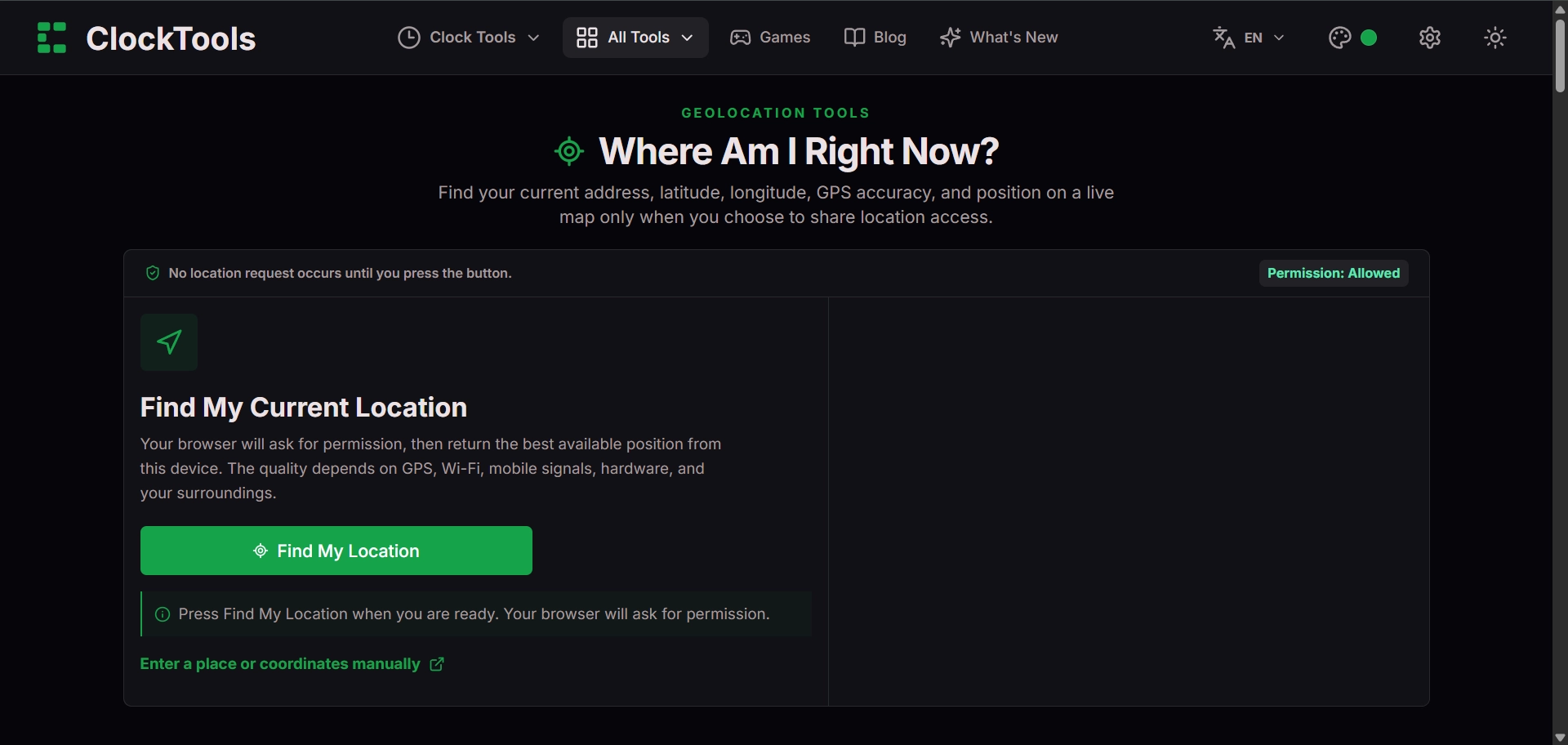
To find your exact location in a browser, open a location tool, choose Find My Location, and approve the browser prompt only if you are comfortable sharing the reading with that page. The result should include latitude, longitude, and an accuracy value. Treat the coordinate as an estimate inside an uncertainty area, not as a perfect point. The ClockTools Where Am I Right Now tool starts without requesting location until you act.
Request location deliberately
Browser location is permission-based. The page asks the browser for a reading, and the browser decides whether to show a consent prompt or use an existing site setting. If you deny access, the page should not receive a location. You can usually change that choice later from the padlock or permissions control beside the address bar.
The W3C Geolocation specification allows a device to derive a position from sources such as satellite, Wi-Fi, cellular, Bluetooth, or network information. It also says the API does not guarantee the device's actual location. That distinction is why a result should be read with its reported accuracy.
Never approve location just because a dialog appears. Confirm the domain, the reason for the request, and whether a less precise location is enough. For a simple coordinate check, the useful flow is request, inspect, copy only what you need, then remove the permission if you do not want it retained.
Read the coordinate and accuracy together
Latitude measures north or south; longitude measures east or west. A result such as a decimal-degree pair is incomplete without context: which number comes first, how many decimal places are shown, and what accuracy radius accompanies it. The coordinate lookup guide covers manual map lookup and coordinate order; this article focuses on the device reading.
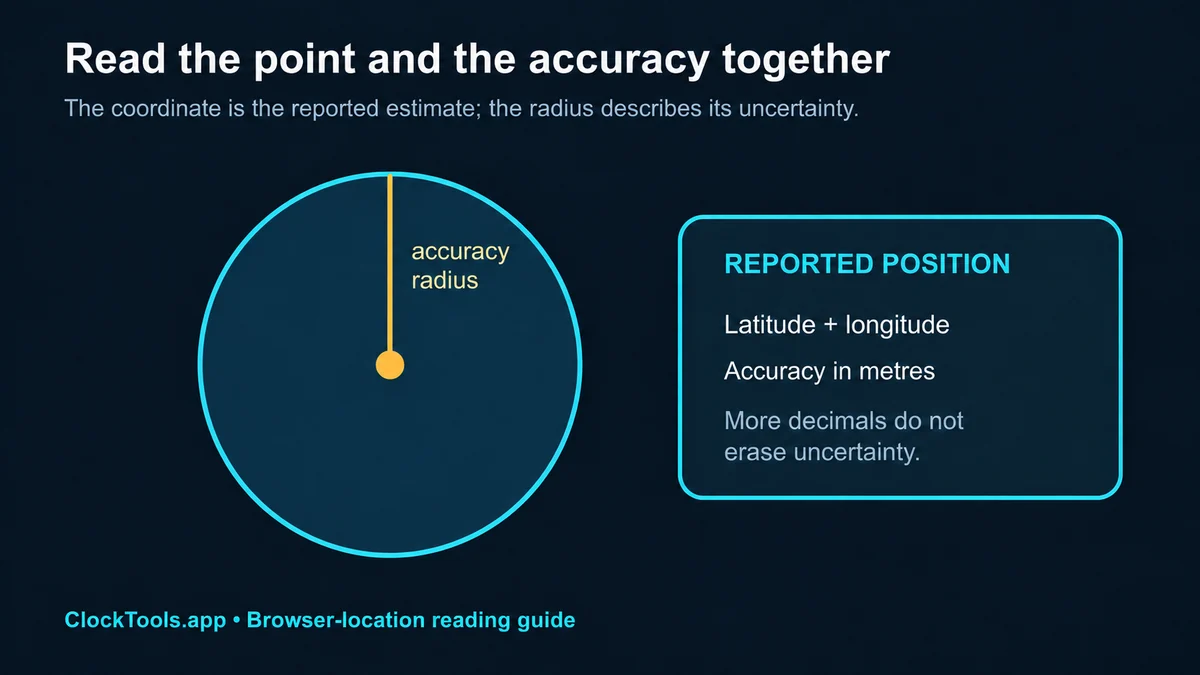
The accuracy value is commonly expressed in metres. In the web specification, it represents a 95% confidence level around the reported point. A 20 m accuracy radius indicates a smaller reported uncertainty area than a 2 km radius. Extra decimal digits do not override a wide accuracy radius.
Improve a weak location result
Start by checking that location services are enabled for the operating system and allowed for the browser. If the browser shows a blocked-location icon, reset the site's permission and request again. On a phone, enable precise location only when it is appropriate for the task. Indoors, moving near a window or outdoors can give satellite positioning a clearer view.
Then wait for a second reading. Devices sometimes return a coarse network estimate first and refine it after receiving better signals. Avoid comparing results from two devices as if they must match exactly; they may use different sensors, networks, cached readings, and privacy settings.
If you only need a rough place name, a broad location may be safer and sufficient. If you need a coordinate for navigation, field work, or an emergency, confirm it in a trusted map or device application and communicate the accuracy limitation.
Share coordinates without oversharing
A coordinate can identify a home, workplace, or routine. Before copying a result into chat, email, or a public post, ask whether a landmark, neighbourhood, or approximate pin would do. Remove screenshots that expose nearby addresses, saved places, account avatars, or browser tabs.
Use the Latitude and Longitude Checker when you want to inspect a coordinate you have deliberately chosen without requesting the device location again. For safety-critical use, rely on local emergency or navigation services and give responders the location in the format they request. A browser utility is useful for inspection, but it is not a substitute for an official emergency-location system.
Frequently Asked Questions
Can a browser find my exact location?
A browser can return an estimated latitude, longitude, and accuracy radius after you grant permission. The result is not guaranteed to identify your physical position exactly.
Why is my browser location inaccurate?
The device may be relying on Wi-Fi, cellular, IP, or other network signals instead of a strong satellite fix, and indoor conditions can weaken positioning.
Does ClockTools store my location?
The tool explains that location processing happens in the browser. Review the page privacy note and your browser permission controls before granting access.
How do I improve location accuracy?
Enable device location services, allow precise location for the browser when appropriate, move where the device has a clearer signal, and retry after the accuracy radius settles.

About The Author
Vigneshwaran Vijayakumar
Founder, Developer and Publisher of ClockTools | Digital Marketing Manager | India
Vigneshwaran is an engineer with decades of technical experience, including professional work as a Digital Marketing Manager in Dubai. His work connects data analysis, search engine optimization, conversion-rate optimization, content systems, visual production, and applied AI and machine learning. At ClockTools, he turns that multidisciplinary experience into focused browser utilities and practical, source-aware guides.