Best Online Stopwatch: Simple, Powerful, And Built For Modern Time Tracking
A stopwatch should feel instant. You open it, press start, track time, record laps, and understand the result without fighting the interface. ClockTools is built around that clean idea: simple enough to use immediately, powerful enough for serious lap tracking, and polished enough for modern mobile and desktop use.
What Makes A Good Online Stopwatch?
A good online stopwatch is not just a timer that counts upward. It should be clear, accurate, responsive, and easy to understand at a glance. When a user starts a stopwatch, they usually care about the moment. They may be tracking a race, timing a presentation, measuring a task, recording repeated attempts, comparing laps, or checking how long a real activity actually takes.
The tool should support that moment without adding friction. A strong stopwatch needs a large readable time display, simple start and pause controls, a reliable reset action, lap tracking, clear lap differences, and a layout that works on both small and large screens. If the user has to search for the right button or scroll away from the active stopwatch, the tool is already getting in the way.
Many stopwatch pages handle only the basics. They show a counter, a start button, and maybe a lap list. That can be useful, but it does not fully support how people actually use stopwatches. Our goal with ClockTools Online Stopwatch is to keep the basic workflow fast while adding smart details that make the tool more practical.
Why Is ClockTools Stopwatch Simple To Use?
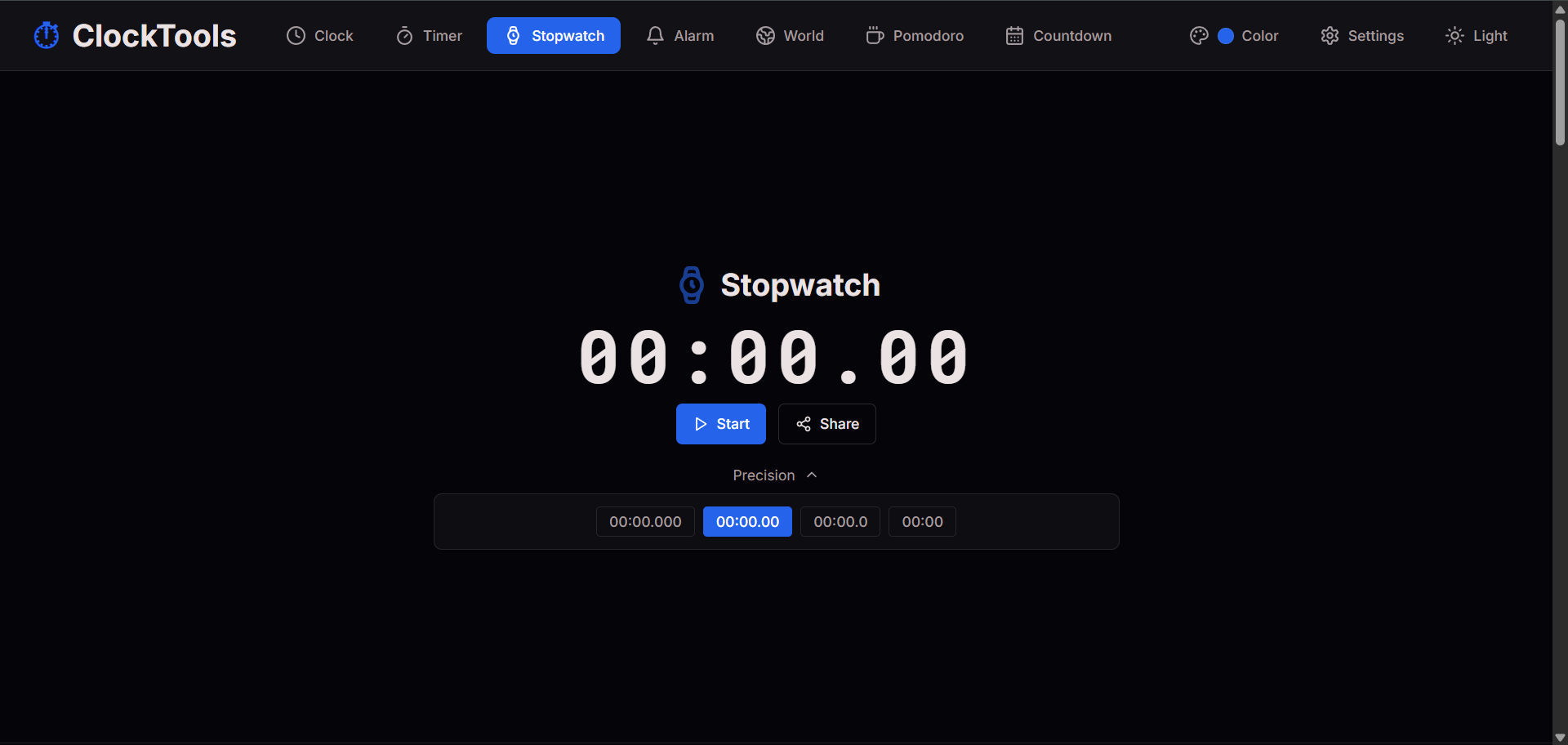
The ClockTools stopwatch is designed to be immediately understandable. You do not need an account, a setup screen, or a complicated dashboard. You open the stopwatch, press Start, and begin tracking time. That directness matters because stopwatch use is often active. A person may be standing, teaching, exercising, cooking, testing, recording, or watching an event while using it.
Our stopwatch keeps the main display clear and readable while keeping the controls close to the action. Start begins timing instantly. Pause stops the running time without clearing the session. Lap records a split while the stopwatch continues. Reset clears the session when you are ready to begin again. Share makes the stopwatch easy to send or reopen.
The simplicity is intentional. We do not want the stopwatch page to feel like software you have to learn. It should feel like a reliable tool that is already familiar. The power is there when you need it, but the first action stays obvious.
What Makes Our Stopwatch Powerful?
The strength of the ClockTools stopwatch comes from combining a clean design with deeper tracking features. A basic stopwatch only tells you how much total time has passed. Our stopwatch helps you understand what happened during that time.
That difference matters. If you are tracking laps, rounds, repeated attempts, or task segments, total time alone is not enough. You may want to know which lap was fastest, which lap was slowest, how each lap compares, and whether performance is improving or dropping. Our stopwatch turns a plain timing session into a clearer record of performance.
The tool supports total elapsed time, lap recording, lap difference tracking, fastest lap highlighting, slowest lap highlighting, mobile-friendly controls, desktop-friendly spacing, and a focused stopwatch area that avoids unnecessary clutter. It stays useful for casual users while giving more serious users the comparison details they naturally expect.
How Do Lap Times And Lap Differences Help?
Lap times are one of the most important stopwatch features. A lap records a moment in the session without stopping the main stopwatch. This lets you divide a longer activity into smaller sections. You might use laps to track each workout round, each speaker in a presentation, each question in a practice test, each attempt in a speed drill, each step in a recipe, or each test run in a workflow.
Lap differences make this even more useful. Instead of only showing the total timestamp for each lap, lap differences help users understand the duration of each individual segment. That means you can see not just when a lap was recorded, but how long that lap actually took.
This is where a stopwatch becomes more than a counter. It becomes a small performance analysis tool. You can compare one lap with another, notice patterns, and make better decisions without exporting data or doing manual math.
Why Are Fastest And Slowest Lap Highlights Useful?
When a stopwatch has many laps, the lap list can become hard to scan. Users should not have to manually inspect every entry to find the best and slowest segment. That is why fastest and slowest lap highlighting matters.
The fastest lap helps you identify the best segment. This is useful for workouts, drills, repeated practice, testing, and timed tasks. It shows where performance was strongest. The slowest lap helps you identify the segment that took the most time. That can reveal fatigue, delay, difficulty, interruption, or a process bottleneck.
Together, fastest and slowest lap highlights make the stopwatch easier to review after the session ends. Instead of a plain list of numbers, users get meaningful feedback that is easy to understand.
Why Is ClockTools Stopwatch Better For Mobile And Desktop?
A stopwatch must work well on both small and large screens. Many people use stopwatch tools on mobile because the phone is always nearby. Others use desktop screens in classrooms, offices, labs, gyms, shared workspaces, or side-by-side with other tools.
ClockTools is designed for both. On mobile, the stopwatch keeps the main content easy to reach and read. Buttons are sized for touch, spacing is controlled, and the tool avoids unnecessary crowding. On desktop, the layout has more room to breathe, making the stopwatch comfortable for longer sessions or larger displays.
The goal is consistency. A user should not feel like the mobile stopwatch and desktop stopwatch are two different tools. The same core experience should feel natural across devices, with the stopwatch itself staying in the prime working area.
How Does Our Stopwatch Stand Out From Other Tools?
Many online stopwatch tools are either too basic or too cluttered. Some show only a timer and buttons. Others surround the stopwatch with distractions, ads, unnecessary panels, or confusing controls. ClockTools stands out because we focus on the balance between simplicity and usefulness.
Our stopwatch is not trying to be complicated. It is trying to be better at the things a stopwatch should already do well: start quickly, stay readable, track laps clearly, show useful lap differences, highlight fastest and slowest laps, work smoothly on mobile and desktop, and keep the main stopwatch area clean.
That is what makes it feel more futuristic. The future of simple tools is not adding noise. It is making everyday actions feel faster, clearer, and more intelligent. ClockTools respects the user's attention while giving enough detail to be genuinely powerful.
Who Should Use The ClockTools Online Stopwatch?
The ClockTools stopwatch is useful for anyone who needs fast, clear elapsed time tracking. Students can use it for study drills, practice tests, reading sessions, or revision rounds. Teachers can use it for classroom activities, quizzes, presentations, and group tasks. Athletes and fitness users can track workout rounds, rest periods, circuits, or personal bests.
Coaches can record repeated attempts and compare lap performance. Developers and testers can measure task duration, load checks, workflow steps, or repeated test runs. Creators can time recording segments, editing blocks, or production routines. Cooks can track recipe stages that need separate timing.
The tool is flexible because it does not assume only one kind of user. It gives a strong stopwatch foundation and lets each person use it for their own timing workflow. To start, open the ClockTools Online Stopwatch and begin tracking time.
Frequently Asked Questions?
What Is The ClockTools Online Stopwatch?
The ClockTools Online Stopwatch is a free stopwatch tool for tracking elapsed time, recording laps, viewing lap differences, and identifying fastest and slowest laps in a clean browser-based interface.
Should I Use Lap Or Pause For A Checkpoint?
Use Lap when you want to save a checkpoint while the main stopwatch keeps running. Use Pause when elapsed-time collection itself should stop so you can review the current reading.
Does The Stopwatch Support Lap Times?
Yes. Our stopwatch supports lap recording, so you can track multiple segments during one timing session.
What Is Lap Difference In A Stopwatch?
Lap difference shows the time difference between laps. It helps you understand how long each individual segment took instead of only showing the total elapsed time.
Why Are Fastest And Slowest Laps Useful?
Fastest and slowest lap highlights help users quickly understand performance. The fastest lap shows the best segment, while the slowest lap shows the segment that took the longest.
What Should I Review Before Resetting The Stopwatch?
Review the total elapsed time, each saved lap, and the lap differences before Reset clears the session. Confirm which value is cumulative and which value represents an individual segment before recording a conclusion.
Is This Stopwatch Good For Workouts?
Yes. You can use it for workout rounds, circuits, rest tracking, running laps, practice attempts, and personal timing challenges.
Is This Stopwatch Good For Studying?
Yes. Students can use the stopwatch to time study sessions, practice tests, reading drills, revision rounds, and focus challenges.
How Is ClockTools Stopwatch Different From A Basic Stopwatch?
A basic stopwatch usually counts time and may record laps. ClockTools adds a cleaner interface, lap differences, fastest lap highlights, slowest lap highlights, mobile-friendly design, and a more polished timing workflow.
Where Can I Use The ClockTools Stopwatch?
You can use it directly on the ClockTools stopwatch page at https://clocktools.app/stopwatch.

About The Author
Vigneshwaran Vijayakumar
Founder, Developer and Publisher of ClockTools | Digital Marketing Manager | India
Vigneshwaran is an engineer with decades of technical experience, including professional work as a Digital Marketing Manager in Dubai. His work connects data analysis, SEO, conversion-rate optimization, content systems, visual production, and applied AI and machine learning. At ClockTools, he turns that multidisciplinary experience into focused browser utilities and practical, source-aware guides.