Step 1
Review the list
A : 1
B : 2
C : 7
Enter one choice per line. Empty lines are ignored; repeated labels remain separate tickets unless you remove duplicates.
Agree on the eligible entries and repeat rules before using the wheel. The diagrams show fixed examples, not live winners.
Agree on the eligible entries and repeat rules before using the wheel. The diagrams show fixed examples, not live winners.
A : 1 B : 2 C : 7
Enter one choice per line. Empty lines are ignored; repeated labels remain separate tickets unless you remove duplicates.
0 | 1 2 | 3 4 5 6 7 8 9
Keep all weights at 1 for equal entries, or open Odds. Weights 1, 2 and 7 make ten tickets in total.
B
2 / 10 = 20%
Spin once. Read the named winner, then keep or remove it. Export important results rather than relying only on browser storage.
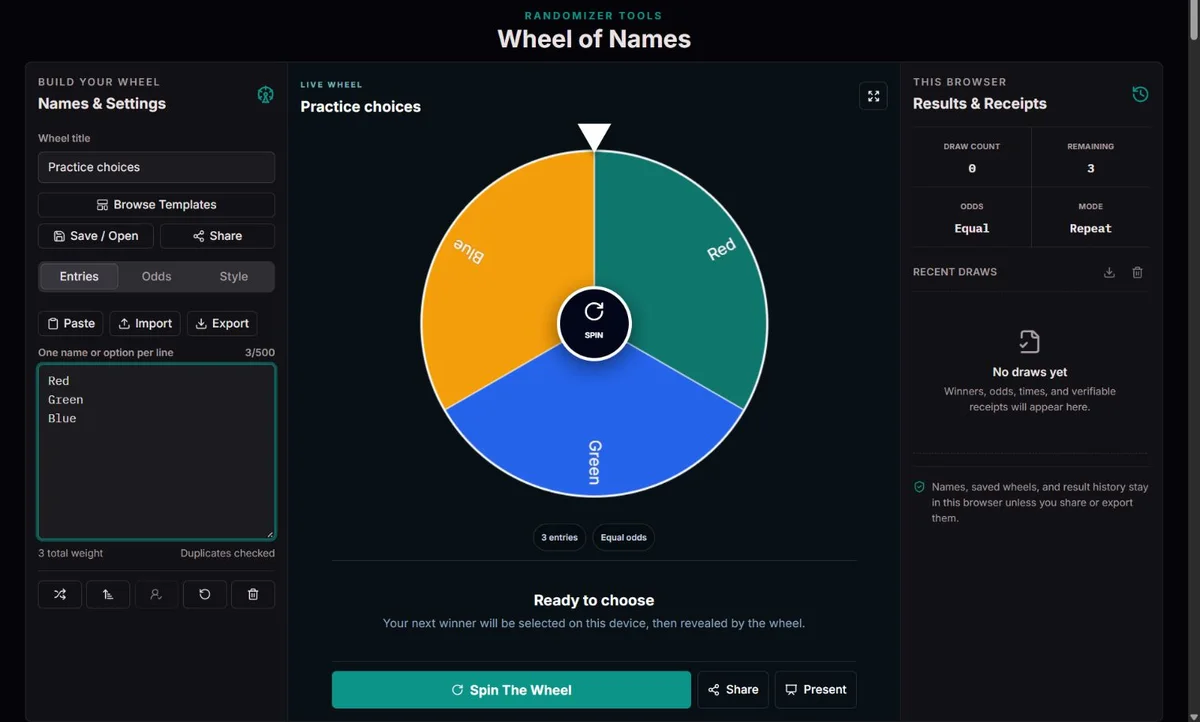
For a classroom turn order, remove absent participants, check duplicate names and reset every weight to 1. Enable automatic removal, then record each completed draw. A person entered twice can still be selected twice, because removal concerns an entry. When only one entry remains, assign the final turn directly: spinning requires at least two. Agree how passes and absences will be handled before starting.
Choose Team Meeting Prompts or Conversation Starters, read the whole list and remove questions that invite confidential disclosures. Rewrite the title for the session and use removal to avoid revisiting the same prompt. A longer reveal can suit a projector, but does not improve selection. Keep an agenda and decision owner; the wheel chooses a prompt, not the meeting outcome.
List feasible chores, not people, to choose the next job. For assignment, instead list participating people and agree on workload separately: equal selection chances are not equal effort. Export JSON before removing entries so the starting list is recoverable. Undo restores only the most recently removed winner; it is not a complete session rewind.
A wheel is a familiar way to reveal a choice, but its appearance does not determine whether the underlying selection is fair. The eligible list and its weights matter just as much as the random source.
The US courts describe the move from paper records and bingo-like jury wheels to electronic random selection in their account of jury-system modernization. That history illustrates the separation between a visible ritual and a maintained list; this everyday tool is not a judicial selection system.
Before a classroom or group draw, settle eligibility and consent. A perfectly executed draw from an incomplete list still excludes people. Publish agreed weights before spinning, and keep confidential names out of shared links.
Each draw starts with a fresh browser seed. The ordered entries, weights, title and timestamp are included in a SHA-256 commitment. Rejection sampling maps a digest to the total ticket count without giving the remainder tickets an extra chance.
The Web Cryptography specification describes the browser’s cryptographically strong random interface. It does not certify this application or establish that a host entered the right list. The winner is chosen before motion; colors and duration only affect presentation.
A receipt lets you recompute that particular result and detect mismatched fields. It cannot prove that the host did not discard earlier draws or create a different list beforehand. For prizes requiring independent oversight, agree on an appropriate audited process instead of treating a local receipt as external certification.
Enter one choice per line or paste directly into the list. Empty lines are ignored; labels are trimmed, internal whitespace is collapsed and long labels are limited to 80 string units. Check the actual entry count after an import, because only 500 entries are kept. A list with one valid line cannot be spun. The editor and named result are better places to verify long labels than tiny wheel slices.
Shuffle changes the order and Sort arranges labels; neither changes an entry’s weight. Duplicate removal compares labels without case and keeps the first entry rather than adding weights together. That matters if two genuinely different people share a name: give them distinct, non-sensitive labels instead of deleting one. After editing or importing, open Odds again and inspect every weight, rather than assuming list edits reset the chances.
Templates replace the current entries, title, palette and recommended removal mode; they do not spin automatically. Party questions such as Never Have I Ever, Truth or Dare and Would You Rather need age-appropriate review and an agreed right to pass. Dinner Decider, Movie Night and Weekend Plans are starting categories, not checks of dietary suitability, availability or opening times. Remove unsuitable options first.
Palettes change appearance. Duration from 2 to 10 seconds changes reveal pace. Sound supplies ticks and a winner tone; confetti and spoken announcements are optional. None changes the committed winner. Browser speech may mispronounce names, so use the written result. Reduced motion can shorten the presentation and omit celebration without changing the selection. Fullscreen is a display mode, not a saved draw or a privacy screen.
The five palette choices are ClockTools, Classroom, Celebration, Bright and Ink. Choose a readable contrast for the display rather than treating a palette as a different selection policy. The template comparison below describes starting workflows; you can edit the entries and repeat setting afterward.
| Template | How the round works | Useful review or setting |
|---|---|---|
| Never Have I Ever | Draw one experience statement for the group; participants can respond or pass. | Automatic removal introduces a new statement next time; edit for age and context. |
| Truth or Dare | The selected entry contains both the mode and its prompt; a second draw is unnecessary. | Keep the Truth/Dare distinction when editing and agree on a right to pass. |
| Would You Rather | Draw a complete paired question, then invite choices and short reasons. | Use removal for a fresh question; review both alternatives, not only the topic. |
| Conversation Starters | Use an open question for several people or a new question on each turn. | Turn removal off if the same question should remain available; avoid private disclosures. |
| Classroom Icebreakers | Choose a prompt for the whole class or for an agreed speaker. | Adapt vocabulary and subject matter to age and language level before presenting. |
| Team Meeting Prompts | Use a check-in or retrospective question, with time for focused responses. | Time-box discussion and assign actions separately; removal avoids recycled prompts. |
| Dinner Decider | Select a feasible meal category, not a guaranteed available dish. | Filter dietary requirements, ingredients, budget and preparation time first; repeats are initially allowed. |
| Movie Night | Select a genre, then choose an available title within it. | Check age suitability and services; replace genres with titles for a small shortlist. |
| Weekend Plans | Select an activity from the options that remain possible today. | Filter weather, accessibility, opening times and budget before drawing. |
| Chore Picker | Use jobs as a no-repeat queue, or replace them with people for assignments. | Separate task selection from workload allocation; automatic removal avoids returning a completed job. |
A weight is a relative ticket count, not a percentage. With A:1, B:2, C:7 the total is 10, so B has 20%, not 2%. Raising every weight proportionally leaves the probabilities unchanged. Choosing 100 for an entry does not make it certain; the denominator includes all eligible weights. Reset to equal odds sets weights to 1 rather than selecting a winner.
Removing B from that example leaves A:1 and C:7, total 8: the next chances are 12.5% and 87.5%. Auto-removal and manual removal use the selected entry ID; other identical labels remain eligible. Undo reinserts the last removed entry at its previous position and weight. A saved receipt retains the original draw’s denominator, so its probability need not match today’s edited wheel.
| Policy | Useful setting | What changes |
|---|---|---|
| Repeated choices | Removal off | The same entry remains eligible; streaks are possible. |
| Turn order | Equal weights + automatic removal | Remaining entries share the next draw; the final single entry is handled without a spin. |
| Weighted preference | Odds: 1, 2, 7 | Tickets are proportional; any nonzero-weight entry may win. |
| Accidental duplicate | Remove duplicates | Keeps first matching label, not a combined weight. |
TXT exports labels only; importing it gives equal weights. CSV preserves labels and weights with headers such as name,weight. JSON preserves the complete setup, including style and removal choices. Use JSON before changing a prepared wheel, and inspect imported labels and odds before drawing. Imports below 2,000,000 bytes replace the current list rather than appending. Clipboard access can fail; pasting into the list is an alternative.
Saved Wheels is local to this browser: it retains up to 12 named setups, and saving the same name without case replaces that saved setup. History retains 25 completed draws, not an unlimited audit trail. CSV history is a summary; JSON history or a copied receipt preserves fields needed for detailed checking. Export before clearing history or browser data. A share link contains compressed setup data, not encrypted names or previous winners; use JSON when the link is too large.
1, 1, 1, 1Four entries each have a 25% chance. Two identical labels are still two entries.
1 + 2 + 7 = 10The second entry has 2/10 = 20%. Removing an entry changes the denominator for the next draw.
4 → 3 → 2Automatic removal acts on an entry ID. Duplicate names can therefore still win on different lines.
The wheel uses browser randomness, SHA-256 and rejection sampling for an integer weighted ticket. Animation reveals an already selected result. Receipt verification recomputes the stored fields; it is not an independent audit of the organizer.
Up to 500 non-empty entries, 80 characters per label and weights of 1–100 are supported. Local saves may be blocked or cleared. A share URL contains readable setup data; do not put private names in it. Sound, speech and fullscreen depend on browser support. This is not certified gambling equipment.
If a result looks wrong, preserve the receipt, export the setup and compare entry order, weights and duplicate labels. Report the route, locale, browser and steps without sharing private names. Damaged history is not overwritten until the session is changed or cleared.
Yes. Every non-empty line is a separate entry. Use the duplicate-removal control when repeats are accidental.
No completed result is recorded for a cancelled draw. Do not use cancellation to selectively discard unwanted outcomes in a contest.
No. It checks consistency of one receipt. It does not validate eligibility, consent, discarded draws or independent oversight.
Space on narrow slices is limited. Check full labels in the editor and completed result, and use distinct short labels for people with similar names. A visual abbreviation does not merge entries or reduce their weight. Presentation mode cannot make hundreds of full names legible at once.
The wheel needs two entries to spin. With one remaining entry, the next turn is already determined; record it directly under the rule agreed beforehand. Do not add a dummy entry just to animate the final selection, because that changes the experiment.
TXT carries names, not weights. Use CSV for labels and weights or JSON for the whole setup. Check Odds after import; missing or invalid weights are normalized, not interpreted as zero-probability exclusions. Remove ineligible entries from the list instead.
No. Supported weights are 1–100; zero or an invalid imported weight is normalized, not used as exclusion. Remove an ineligible entry from the list before drawing and verify the remaining odds. Keep a JSON copy if you need to restore the original list later. Hiding a label through styling does not remove its chance.
Wait for the wheel to finish loading and check that at least two valid entries exist. If generation fails, there is no completed winner to accept. Preserve the setup and try a supported browser. Sound or speech failure alone does not invalidate the written result; optional feedback is separate.