Make chord changes land on time
Start a guitar chord change at 60 BPM. The trainer adds 5 BPM every four bars, up to 80 BPM; slow down if your movement loses control.
Find your tempo with a free online metronome. Use tap tempo, accents, subdivisions, swing, tempo training, silent bars and downloadable WAV click tracks.
Choose your beat, start a short practice session, then keep the setup that works for you.
Enter a BPM or tap the tempo you hear. Choose the time signature and beat unit, then set the accents and clicks per beat.
Press Start and play along at a comfortable pace. For a focused exercise, add a count-in, a session limit, silent bars or a gradual tempo change.
Stop to see your elapsed time and final tempo. Save a named preset for next time, share the settings or export a short WAV click track.
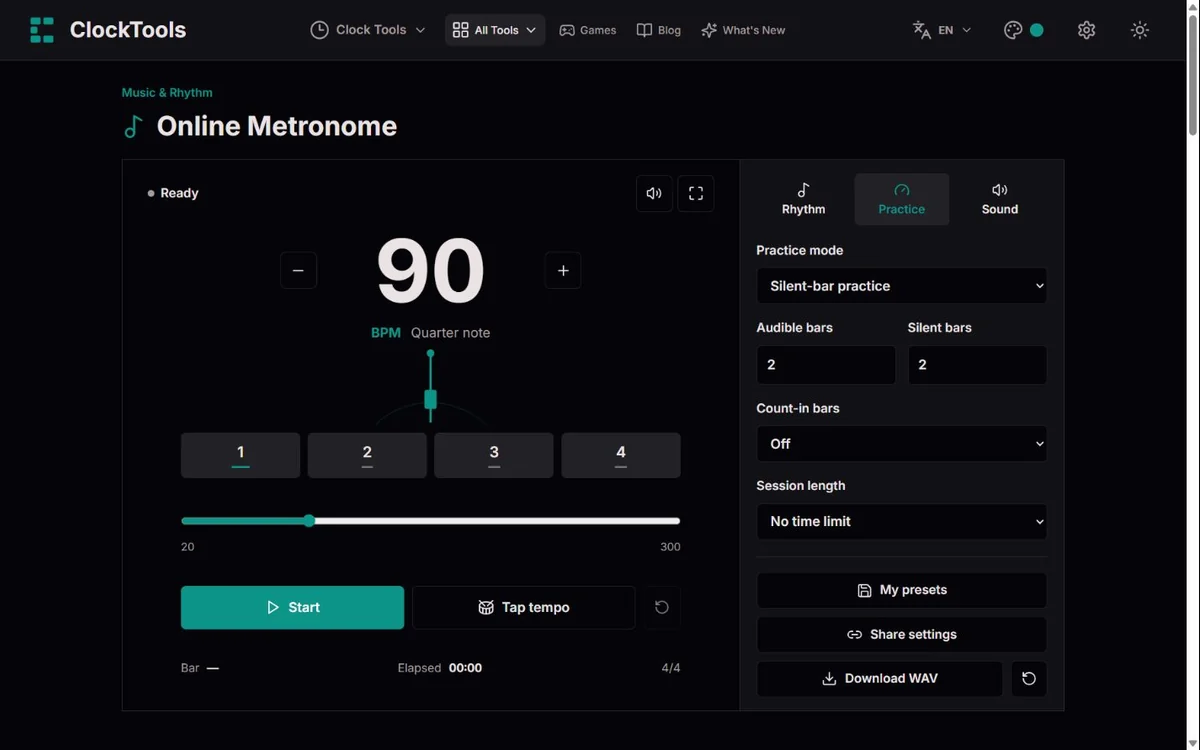
A metronome supplies a regular reference pulse while you play, sing or rehearse. Here you can enter 20–300 BPM, make one-BPM adjustments or use tap tempo. The main display follows the current tempo during training. The visual beat markers keep counting even in silent practice bars, and the optional pendulum offers a quieter visual reference. Fullscreen leaves the practice display in focus without changing your settings.
The numerator tells you how many written note units are in a bar; the denominator identifies that unit. BPM needs a separate beat unit. In 4/4 at quarter-note = 120, four pulses fill a two-second bar. In 6/8 at dotted-quarter = 60, two main pulses fill a two-second bar, with three eighth notes inside each pulse. Choosing eighth-note = 60 instead makes that 6/8 bar six seconds long. Always match the selected unit to your score or teacher’s instruction. For 7/8, eighth-note clicks and editable accents let you mark groups such as 2+2+3.
One click per beat leaves space to feel the pulse. Two, three or four clicks per selected beat make the gaps easier to hear; three means an even triplet within that beat. Each beat can be accented, regular or silent. Silencing a beat also silences its subdivisions. Swing moves the second of two clicks later: 50% is even, and 67% is close to a 2:1 long–short division. Swing is available only with two clicks per beat. Secondary beats add a differently pitched pulse distributed evenly across the same bar, useful for exploring ratios such as three against four; they are not a second independent tempo.
Steady tempo is the starting point. The tempo trainer increases or decreases BPM by your chosen step after a fixed number of complete bars, stopping the change at the target without overshooting it. Silent-bar practice alternates audible and silent bars so you can check whether your internal pulse holds up. A one- or two-bar count-in plays before the practice clock begins. The optional session limit stops the sound and opens a summary. Start again for a fresh session; this is not a recorded performance or an assessment of your playing.
These are example starting points, not prescribed tempos. Load a setup, adjust it to your ability and press Start when you are ready.
Start a guitar chord change at 60 BPM. The trainer adds 5 BPM every four bars, up to 80 BPM; slow down if your movement loses control.
At 72 BPM, two clicks per beat make the halfway point audible. Rehearse a short passage, then return to one click per beat as it becomes secure.
At 90 BPM, alternate two audible bars with two silent ones. Keep the drum pattern going and listen for whether you reconnect with the first beat.
Use a one-bar count-in before singing. At dotted-quarter = 60 BPM, each 6/8 bar has two main beats; finish with a two-minute session summary.
Save named setups locally rather than rebuilding a rhythm for every session. A shared link stores public settings in its URL fragment and never starts sound automatically. It does not include saved preset names or session history. WAV export creates a 5–120-second, 44.1 kHz mono PCM click track from the same rhythm rules used by the live tool. Count-in, training, silent bars, swing and secondary beats are included. The chosen export length replaces the live session limit. Muted audio or zero volume produces silence, so check those controls before exporting.
One selected beat lasts 60 ÷ BPM seconds. Bar length is that interval multiplied by the number of selected beats in the bar; a dotted-quarter beat represents three eighth notes. Tone.js schedules clicks against Web Audio time, rather than asking a screen animation to trigger every sound. Tests cover settings bounds, subdivision offsets, swing, count-in, silent-bar cycles, ascending and descending tempo steps, tap estimates and WAV headers. Audio output and display still depend on your device. Bluetooth can add latency, and a suspended browser or sleeping phone can stop playback. Keep the page open; an interruption stops the session rather than pretending it continued reliably.
The rhythm engine, tap calculations and WAV rendering run in your browser. No microphone permission, account or software installation is required. Presets use this browser’s local storage and disappear if that storage is cleared. Ordinary site hosting and analytics remain subject to our Privacy Policy. To report a problem, include your browser, device, tempo, time signature, beat unit and practice settings, along with what you heard or saw. Do not send private recordings. Timing, export and translation defects should receive a reproducible check and a relevant regression test.
Yes. Tempo controls, tap tempo, practice modes, presets and WAV export are free to use without an account.
Browsers normally require a user gesture before playing audio. Press Start, check the volume and mute controls, and make sure your device and browser tab are not muted.
It depends on the beat unit. Dotted-quarter BPM counts two main beats in a 6/8 bar; eighth-note BPM counts six. This tool displays the chosen unit explicitly.
Not reliably on every device. Browsers may suspend audio when a phone locks or a tab is interrupted. Keep the page open and do not rely on it for unattended playback.
Yes. Choose silent-bar practice and set the audible and silent bar counts. The visual pulse continues while the scheduled clicks are silent.
Yes. Download a WAV click track lasting 5–120 seconds. It includes the current rhythm and practice pattern, but not your instrument or microphone audio.