IP Address Tools
What Can Someone Do With Your IP Address?
A risk ladder for public IP exposure, approximate location, tracking, exposed services, and sensible response steps.
By Vigneshwaran Vijayakumar, Developer and Publisher | | Reviewed under the ClockTools editorial policy
Table of contents
A public IP address can reveal a network provider and an approximate geographic area, help websites correlate requests, and identify the internet-facing connection that sent traffic. It does not reveal your exact home address, name, passwords, or files by itself. The serious risk appears when the address leads to an exposed or vulnerable service, or when it is combined with other personal information.
Open What Is My IP to see the public address and network clues a normal website can receive. Use Hide IP before sharing a screenshot, and treat the displayed location as an estimate rather than GPS evidence.
What does an IP address actually reveal?
An IP address is a routing identifier. The ICANN beginner's guide to IP addresses explains that computers translate internet names into numerical addresses so packets can reach the correct interface. When you open a website, the server must receive a source address to return the response.
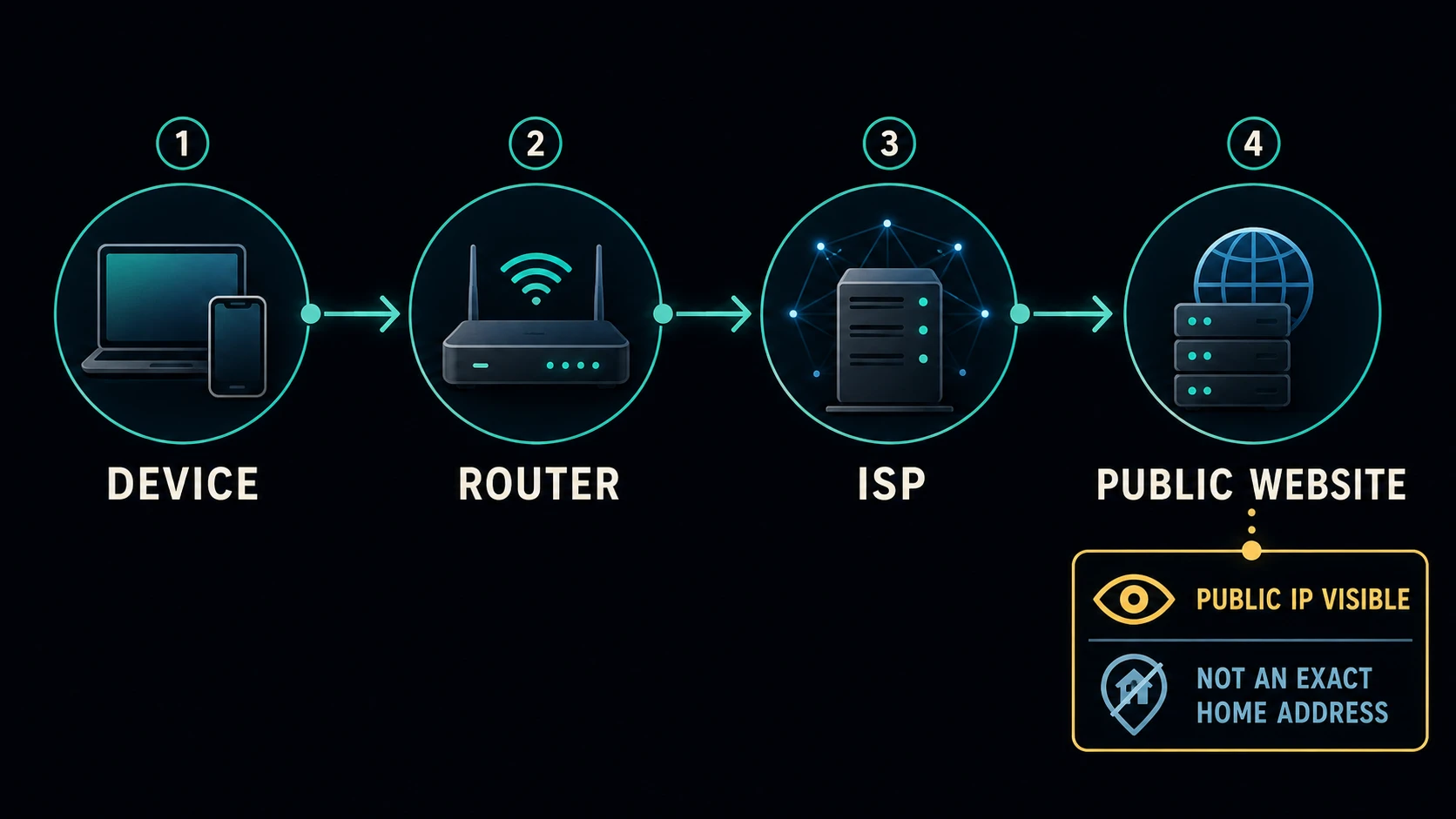
From that address, a service may infer the internet provider or network organization, autonomous system number, address family, and approximate country, region, city, or timezone. These are database and routing observations, not a direct reading of your street address. Mobile carriers, corporate gateways, VPNs, satellite links, and provider routing can move the apparent location far from the device.
An IP can also act as one signal in a broader tracking system. Mozilla's privacy overview describes how sites combine multiple signals to build profiles, and Mozilla's anti-tracking history notes that IP addresses can serve as relatively stable identifiers and support approximate geolocation.
What can someone not learn from the IP alone?
An IP address is not an account credential. It does not contain your password, browser history, files, precise GPS coordinates, or legal identity. A residential address may also be shared by many devices through network address translation, and a provider may change the public address over time.
That boundary matters because fear-driven claims often jump from “someone saw my IP” to “someone controls my computer.” Control requires another path: a vulnerable reachable service, reused credentials, malware, social engineering, unsafe remote administration, or access to a provider or account. The IP may identify where to send traffic, but it is not the exploit itself.
Do not swing to the opposite extreme. If a public post connects the IP with your real name, workplace, gaming identity, or travel schedule, correlation may increase the privacy risk. Context determines whether the address is a routine network signal or one piece of targeted harassment.
How does the IP risk ladder work?
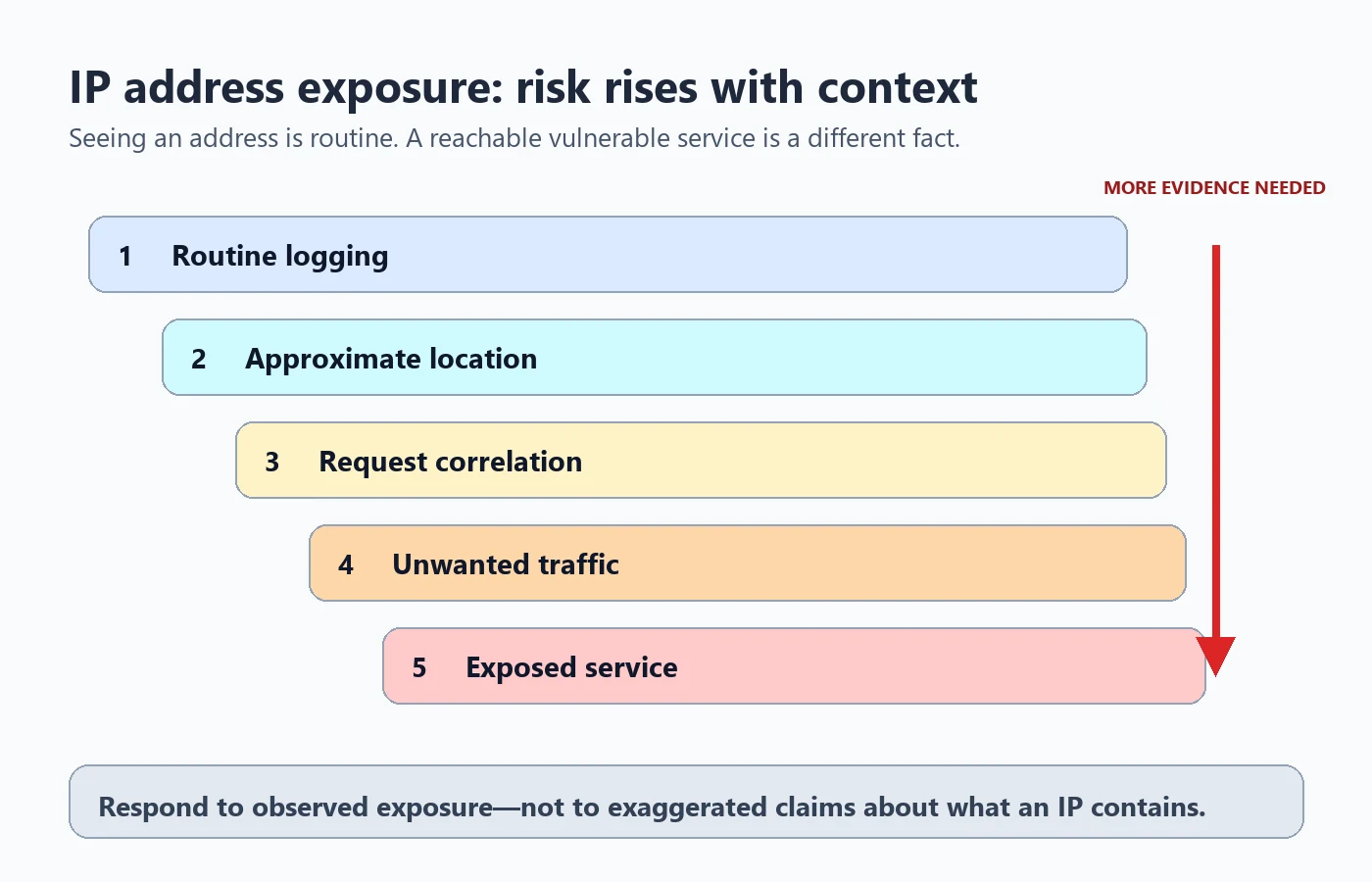
| Level | What may happen | What the IP proves | Proportionate response |
|---|---|---|---|
| Routine logging | A site records requests for security or analytics | Your connection reached that service | Read the privacy policy and use normal browser protections |
| Approximate geolocation | A database estimates country, region, or city | A network block maps to an area | Do not treat the result as an exact physical location |
| Cross-request correlation | A service groups activity from the same or similar address | Requests shared a network signal | Limit unnecessary sharing and use privacy controls |
| Unwanted traffic | A connection receives scans or a denial-of-service attempt | Traffic was sent to the address | Contact the provider and preserve timestamps if disruption continues |
| Exposed service | A reachable port presents a router, camera, remote desktop, or application | A service answered on that connection | Disable unnecessary exposure, patch, and replace weak credentials |
The ladder separates visibility from exploitability. Most websites seeing an address is ordinary internet operation. A reachable administrative service with default credentials is a different and more urgent fact.
How can you check what websites see?
The ClockTools dashboard shows the public IP, version, network organization or ASN, approximate location, timezone, browser details, edge location, and comparison signals. Copy IP is useful for a support request. Hide IP masks the most sensitive-looking field before a screenshot. The optional WebRTC check can show whether browser real-time communication exposes another candidate address.
Run a simple comparison: record the public address, switch between Wi-Fi and mobile data or a VPN, then refresh. A changed result shows that websites now see a different public route. A timezone mismatch may indicate travel, VPN exit location, corporate routing, or a browser setting; it is a clue, not proof of compromise.
If you need to check whether a service is reachable, use the port scanner only on systems you own or are authorized to test. If a particular website behaves differently on two networks, the website down checker can help separate a site outage from a local routing or DNS problem.
What should you do after sharing an IP address?
Start with the smallest effective response:
- Remove the public post, stream frame, log, or screenshot when practical.
- Check whether the image also exposed an email address, device name, router page, location, account ID, or access token.
- Review router port forwarding, remote administration, and firmware. Disable services you do not need.
- Use unique credentials and multi-factor authentication on the accounts connected to the incident.
- Contact the internet provider if you face sustained unwanted traffic, service disruption, or targeted harassment; a restart does not guarantee a new address.
A VPN can replace the address that destination websites see with the VPN server's address. That changes who handles connection metadata rather than erasing trust from the system. Evaluate the provider, protocol, logging policy, and account security before relying on it.
When should you escalate the problem?
Escalate when there is evidence beyond simple exposure: repeated service disruption, threatening messages that include nonpublic personal details, successful account sign-ins, router configuration changes, malware alerts, or a reachable service you cannot secure. Preserve timestamps, screenshots with secrets masked, provider notices, and relevant logs.
For an ordinary screenshot that revealed only a dynamic residential IP, deleting the post and checking exposed services is usually more useful than panic. For an active threat, involve the provider, workplace security team, platform abuse channel, or local authority appropriate to the situation. Do not retaliate or scan someone else's network.
Frequently Asked Questions
Can someone find my exact home address from my IP address?
Usually not from the IP alone. Public geolocation commonly estimates a country, region, city, or provider location, and accuracy varies with mobile networks, VPNs, carrier routing, and database quality.
Can someone hack my device with only an IP address?
An address alone is not a password or automatic compromise. Risk rises when a reachable service has a vulnerability, weak credentials, unsafe port forwarding, or an exposed administrative interface.
Should I change my IP address after sharing it?
Not automatically. First remove the public post or screenshot, review exposed services and router settings, and contact your provider if there is targeted harassment or sustained unwanted traffic.
Does a VPN hide my IP address from websites?
A VPN normally replaces the address websites see with the VPN server address. The VPN provider can still handle connection metadata, so evaluate its privacy and security practices rather than treating any VPN as automatic anonymity.
Is a private IP address safe to share?
Private addresses are not routed across the public internet and are reused on many local networks, but screenshots can still expose device names, network structure, or other sensitive details.

About The Author
Vigneshwaran Vijayakumar
Founder, Developer and Publisher of ClockTools | Digital Marketing Manager | India
Vigneshwaran is an engineer with decades of technical experience, including professional work as a Digital Marketing Manager in Dubai. His work connects data analysis, search engine optimization, conversion-rate optimization, content systems, visual production, and applied AI and machine learning. At ClockTools, he turns that multidisciplinary experience into focused browser utilities and practical, source-aware guides.