URL Tools
URL Encoding for Spaces: %20 or Plus?
A URL space becomes %20 in a URI component and + only in form-style serialization.
By Vigneshwaran Vijayakumar, Developer and Publisher | | Reviewed under the ClockTools editorial policy
Table of contents
A space in URL data usually becomes %20, but form-style query serialization represents it as +. Both can be correct. The right output depends on the destination: use percent encoding for an individual URI component, and use the plus convention only when the receiving workflow expects application/x-www-form-urlencoded data.
The ClockTools URL Encoder makes that context explicit with URI Component, Full URL, and Form Data profiles. Paste green tea, switch profiles, and compare the output before changing application code.
Start with the destination
Do not ask “Which symbol always means space?” Ask which parser will receive the value.
For a path segment, fragment value, or individual query value, percent encoding is the dependable representation. The space character's UTF-8 byte is hexadecimal 20, so its percent-encoded triplet is %20.
For HTML form-style data, the serialization convention uses + for spaces and percent-encodes a literal plus as %2B. The WHATWG URL Standard defines this form-urlencoded behavior separately from general URL parsing.
The RFC 3986 URI syntax defines a percent-encoded octet as % followed by two hexadecimal digits. It also distinguishes reserved delimiters from unreserved data characters. That distinction is the reason encoding a value is different from encoding an entire address.
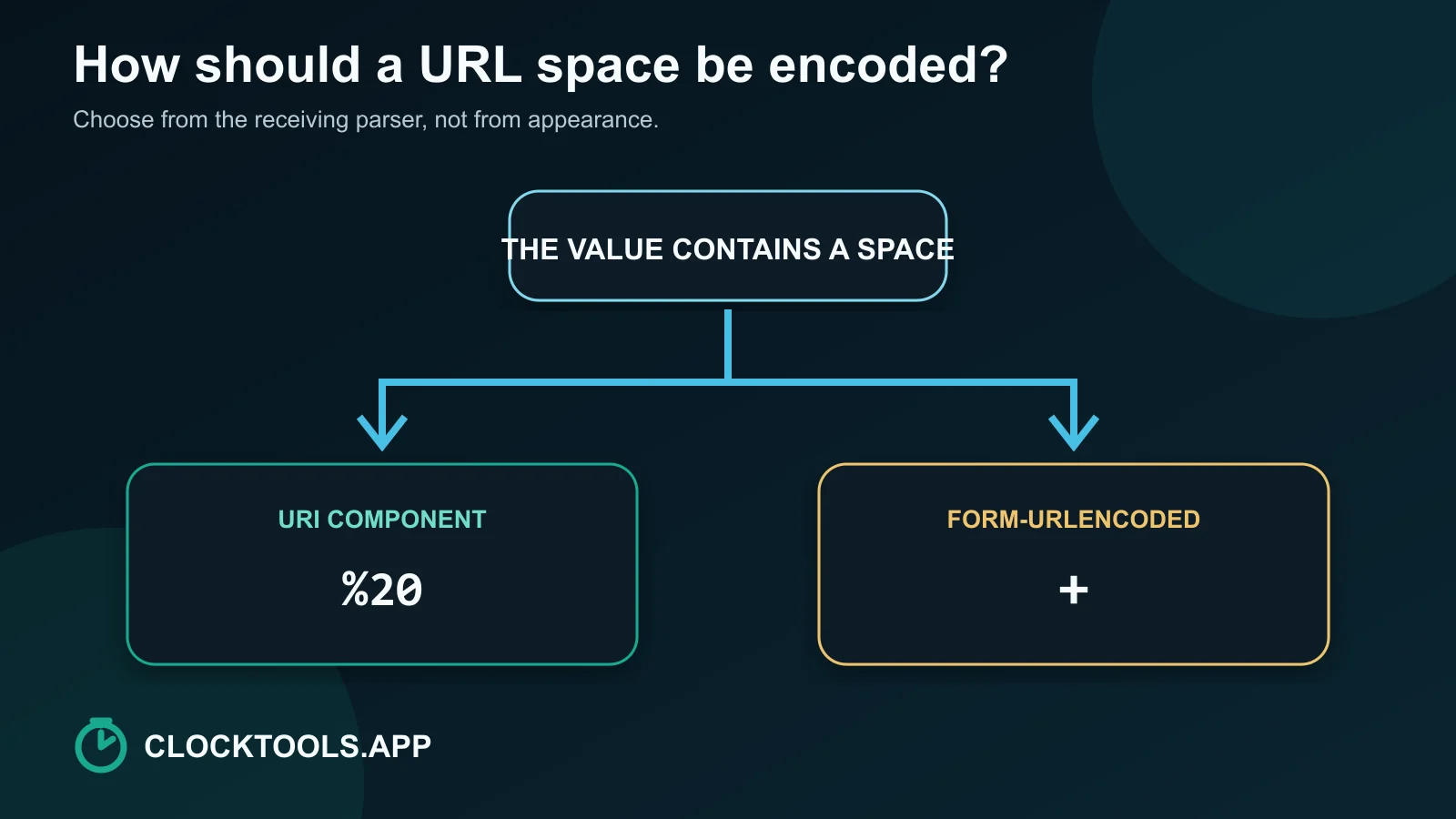
The %20 versus plus decision table
| Destination | Space representation | Example for green tea | Why |
|---|---|---|---|
| Path segment | %20 | /topics/green%20tea | Space is data inside one path segment |
| Query value encoded as a component | %20 | ?q=green%20tea | Component encoding keeps the value separate from delimiters |
| Form-urlencoded query or request body | + | q=green+tea | The form serializer maps space to plus |
| Complete URL display | %20 where a literal space must be serialized | https://example.com/green%20tea?q=hot%20cup | Structural :, /, ?, =, and & remain delimiters |
| Literal plus inside form data | %2B | q=C%2B%2B | A bare plus would decode as a space in that profile |
The last row prevents a common bug. If the intended value is C++, sending C++ through a form decoder may produce C . Encode each literal plus as %2B before form parsing.
Four reproducible ClockTools tests
We ran four small inputs through the current tool implementation. Its URI Component profile uses JavaScript encodeURIComponent. Form Data applies the same component encoding and then replaces %20 with +. Full URL uses encodeURI, which preserves URL structure.
| Input | Profile | Observed output | Interpretation |
|---|---|---|---|
green tea | URI Component | green%20tea | One component, percent-encoded space |
green tea | Form Data | green+tea | Form-style space convention |
C++ | Form Data | C%2B%2B | Literal plus signs are protected |
https://example.com/a b?q=x y | Full URL | https://example.com/a%20b?q=x%20y | URL delimiters remain structural |
These are deterministic transformation results, not search-ranking evidence. You can reproduce them locally in the browser. The page updates output immediately, reports percent escapes and byte counts, and does not need to send the input to a server for the conversion.
Use the URL Decoder to run the inverse check. Decode green%20tea under the component profile and green+tea under Form Data. The decoder warns when a plus appears under a non-form profile because the intended meaning is ambiguous.
What does component encoding protect?
A URL uses punctuation as grammar. In a query string, & can begin another parameter and = separates a name from a value. # begins a fragment. ? begins a query. If one of those characters belongs inside user data, leaving it raw can change the structure.
Consider the value timer & alarm. Component encoding produces timer%20%26%20alarm. The ampersand becomes %26, so a parser receives one value instead of interpreting alarm as a new parameter.
Encoding is representation, not validation or encryption. A percent-encoded redirect can still point to an unapproved host after decoding. An encoded script is still untrusted input. Validate allowed schemes, hosts, parameter names, and business rules after parsing. Avoid putting passwords, tokens, or other secrets in URLs because addresses can appear in history, logs, analytics, screenshots, and referrer data.
When you need to compare a before-and-after query string, the Text Diff Checker makes each changed escape visible. That is more reliable than scanning a long callback URL for one missing %25.
Why does double encoding create %2520?
Double encoding happens when already encoded text is treated as raw data and encoded again.
Start with one space:
space -> %20Encode %20 as a new component. The percent sign becomes %25, while the digits remain literal:
%20 -> %2520One decode changes %2520 back to %20. A second decode changes %20 to a space. If your application expects one decoding pass but receives a double-encoded value, the user may see %20 instead of a blank.
The fix is not to decode repeatedly until the text looks right. Repeated decoding can change deliberately encoded delimiters and create security problems. Identify the ownership boundary: exactly one layer should encode the component, and exactly one corresponding layer should decode it.
A space-mismatch debugging path
Use this path when one system sends %20 and another displays +, %2520, or a literal blank.
- Capture the raw value before any framework parser changes it.
- Identify whether the field is a path segment, query component, complete URL, or form body.
- Record the expected decoded value, including literal plus signs.
- Reproduce the same input in the matching ClockTools profile.
- Decode once with the receiving profile.
- Compare the result with the expected value.
- Search the application flow for a second encoder or decoder if
%25appears unexpectedly.
| Symptom | First check | Likely cause |
|---|---|---|
green+tea remains with a plus | Decoder profile | Component decoder does not map plus to space |
C++ becomes C | Sender encoding | Literal plus signs were not encoded as %2B |
%20 is visible to the user | Decode count | Encoded data was never decoded, or was double encoded earlier |
%2520 appears in a request | Encode count | Percent sign from %20 was encoded again |
| Query splits after an ampersand | Component boundary | A data ampersand was left raw |
This debugging path is intentionally narrow. It separates data context from guesswork, and every step has a visible input and output.
When should you encode a full URL?
Use the Full URL profile only when you want the address to remain an address. It preserves structural punctuation such as the scheme colon, slashes, question mark, equals sign, ampersand, and fragment marker while encoding characters such as spaces.
Use URI Component when a complete URL is itself nested inside another parameter. For example, a callback address placed in redirect= is data from the outer URL's perspective. Encoding the nested address as one component prevents its ? and & from joining the outer query.
Do not repeatedly pass an address through different profiles hoping for a universally safe string. Write the boundary explicitly:
outer URL structure + encodeURIComponent(inner callback URL)The receiving application should parse the outer URL, extract the callback component, decode it once, parse the resulting inner URL, and validate the destination. Encoding keeps syntax intact; validation decides whether the destination is allowed.
Frequently Asked Questions
Should a URL space be %20 or a plus sign?
Use %20 for a space inside a general URI component. Use + when the receiving workflow explicitly expects application/x-www-form-urlencoded serialization.
Why does a plus sign decode as a space?
Form-style parsers map + to a space as part of the form-urlencoded convention. A general component decoder does not have to apply that substitution.
How do I encode a literal plus sign in form data?
Encode the plus as %2B. Otherwise a form decoder may interpret the bare plus as a space.
What does %2520 mean?
%2520 usually indicates double encoding. The percent sign in an existing %20 escape became %25, so one decode returns %20 and a second decode returns a space.
Should I encode an entire URL with encodeURIComponent?
Not when its scheme, slashes, query delimiters, and fragment marker should remain structural. Use component encoding when the whole URL is nested as data inside another value.
Does URL encoding make untrusted input safe?
No. Encoding preserves syntax boundaries, but the receiver must still validate schemes, hosts, redirects, parameter values, permissions, and other business rules after parsing.

About The Author
Vigneshwaran Vijayakumar
Founder, Developer and Publisher of ClockTools | Digital Marketing Manager | India
Vigneshwaran is an engineer with decades of technical experience, including professional work as a Digital Marketing Manager in Dubai. His work connects data analysis, search engine optimization, conversion-rate optimization, content systems, visual production, and applied AI and machine learning. At ClockTools, he turns that multidisciplinary experience into focused browser utilities and practical, source-aware guides.