Stopwatch
Online Stopwatch for Studying: How to Time Focus Sessions?
A case-file approach to study timing: ask one scheduling question, define the task and interruption rule, annotate the material, and make one evidence-bounded calendar decision.
By Vigneshwaran Vijayakumar, Developer and Publisher | | Reviewed under the ClockTools editorial policy

Table of contents
Use an online stopwatch for studying to answer one scheduling question about one named task: “How much time should I reserve for a comparable task next time?” Open the ClockTools stopwatch only after writing that question and defining what counts as finished. The elapsed total then has a job: it helps shape one future calendar block.
The stopwatch supplies the time; a short case file supplies the meaning. Record the material, task boundary, lap annotations, and interruption decision before the session. During the work, add only the notes needed to explain the record. Afterward, make one scheduling decision that the evidence supports. This keeps a study log specific without pretending elapsed time measures concentration, understanding, or learning quality.
Use one case file for one planning question
“Time my studying” is too broad to produce a useful record. Replace it with a question tied to a future decision, such as: “How much calendar time should I reserve next Tuesday for six similar algebra problems and error review?”
Specificity belongs in the schedule as well as the stopwatch. Cornell University’s Learning Strategies Center recommends avoiding a vague entry such as “study” and naming the subject in its study-schedule guidance. A case file takes that useful idea one step further by naming the material and the finish boundary.
One file should cover one planning question. Do not use the same record to estimate a reading assignment, judge understanding, compare subjects, and rate productivity. Those are different questions, and elapsed time cannot answer most of them.
Copy this one-session worksheet
The worksheet can sit in a notebook, document, or note beside the stopwatch. Fill the first six rows before pressing Start. Complete the remaining rows as the session unfolds.
| Case-file field | Entry |
|---|---|
| Planning question | The single future scheduling decision this session will inform |
| Named material | Course, chapter, question range, or practice section |
| Start boundary | The exact state that begins the record |
| Finish boundary | The exact state that ends the record |
| Lap annotation rule | The study event each lap will mark |
| Interruption decision | Included in calendar time, or excluded from active-study time |
| Context notes | First read or review, resources allowed, unusual difficulty, or other relevant condition |
| Observed record | Final total and only the lap splits needed for the planning question |
| One next decision | The calendar block to try for a comparable task |
On ClockTools, the running view provides Lap and Pause. A lap row keeps the cumulative elapsed total and a + split for the segment that just ended. Those facts are enough for this worksheet: the annotation explains what the split represents, while the stopwatch preserves its duration.
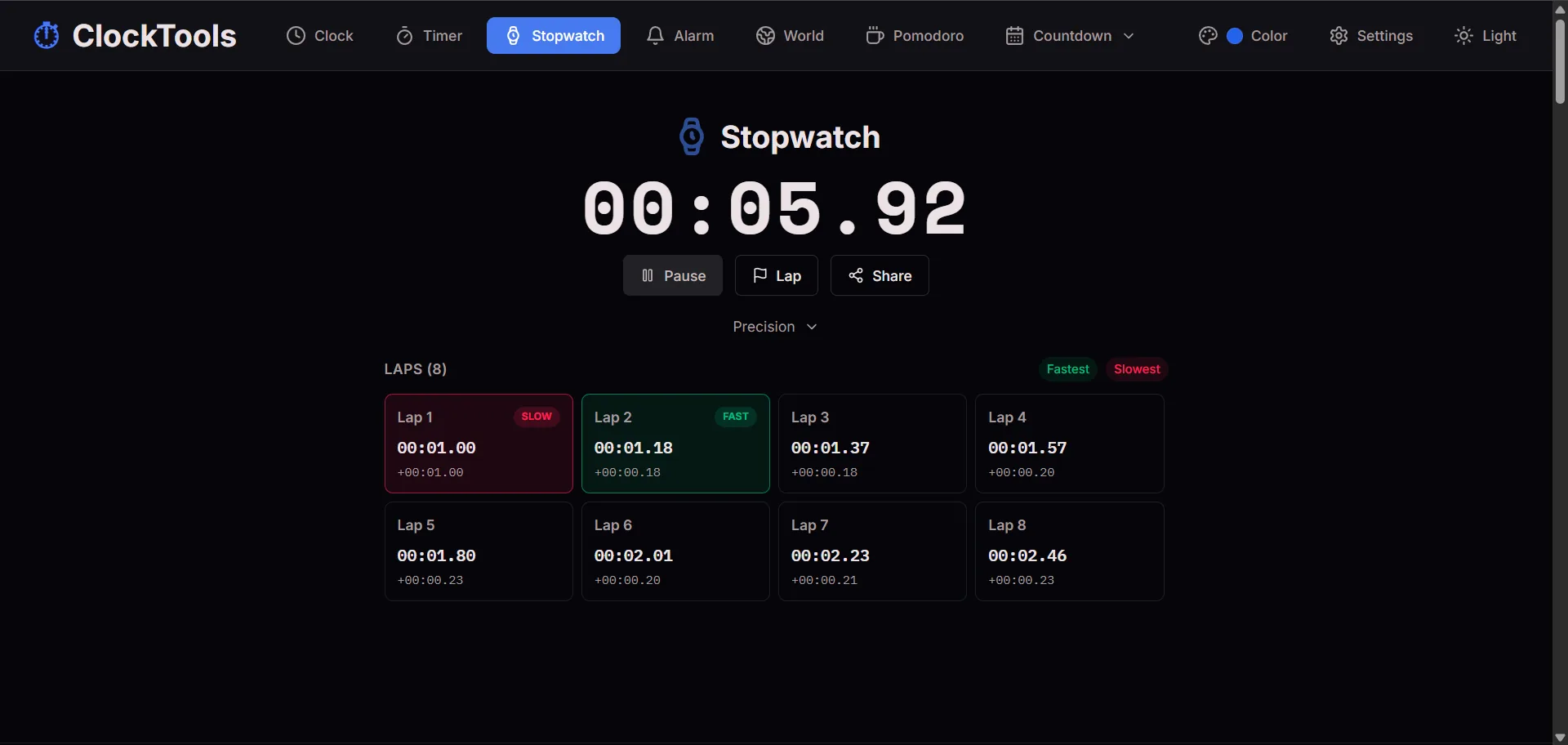
This WebP screenshot shows where cumulative totals and + splits appear. Its short interface values demonstrate the controls only; they are not a study-session result or benchmark.
Give each study format its own annotations
The word “lap” comes from timing, but the annotation should come from the material. A useful label lets you understand the row days later without reconstructing the session from memory.
| Study format | Lap boundary | Annotation to keep | Decision the record may support |
|---|---|---|---|
| Assigned reading | End of a named subsection | Section title, page range, first read or review | How much time to reserve for a comparable section |
| Problem set | End of a fixed question range | Question numbers, first attempt or correction pass, resources used | How much time to reserve for a similar block plus checking |
| Mock-exam diagnosis | End of an exam section | Section name, untimed or timed condition, resources allowed | Which section needs the largest calendar allocation during practice |
For reading, a page count without a chapter or section name may hide large differences in layout and difficulty. For problems, “six questions” is more interpretable when the file also says whether it was a first attempt or correction pass. For a mock exam, note whether the run was diagnostic or intended to reproduce official conditions. When the practice must end at a fixed limit, use the online timer for that deadline and keep the case file focused on the evidence you actually recorded.
Decide how interruptions enter the record
Write one of these statements before starting:
Included: Leave unrelated interruptions in the elapsed total because this case estimates how much calendar space the task occupied.
Excluded: Pause for unrelated interruptions because this case estimates active time on the named material.
Neither choice is universally correct. The first is useful when placing a task into a real day. The second isolates active study time, but it cannot by itself tell you how large the calendar block should be. The important point is to choose before seeing the result.
If something unexpected happens, add a short context note and keep the declared rule. Changing the rule halfway through because the total looks inconvenient would make the final scheduling decision difficult to explain.
Examine one hypothetical case file
The file below is entirely hypothetical. Its material, events, and durations were invented to demonstrate the worksheet; they are not a ClockTools test result, a performance target, or a claim about a real student.
Case file: Algebra worksheet and correction pass
| Field | Hypothetical entry |
|---|---|
| Planning question | How much calendar time should be reserved for another six-problem algebra set plus error review? |
| Named material | Algebra worksheet, questions 7–12 |
| Start boundary | Question 7 visible, notes and scratch paper ready |
| Finish boundary | Last identified error corrected and checked |
| Lap annotation rule | Lap after the six first attempts; lap after error review |
| Interruption decision | Included, because the goal is a calendar estimate |
| Context | Open notes, first attempt, one brief delivery interruption left in the total |
The case file receives only two timing rows:
| Annotation | Cumulative total | Segment split | Case note |
|---|---|---|---|
| Questions 7–12 attempted | 00:28:40 | +00:28:40 | Question 10 was reread before an answer was chosen |
| Error review completed | 00:37:15 | +00:08:35 | Two corrections were checked against worked examples |
The final total is the relevant value because the planning question asks about calendar space and the declared rule includes interruptions. The first split and the review split remain in the file to describe where that calendar time went; they are not scores for the two stages.
Convert the case into one calendar block
The hypothetical student makes one decision from the observed 00:37:15 total:
| Scheduling calculation | Time |
|---|---|
| Observed calendar span in this case | 37:15 |
| Chosen margin for setup and task variation | +7:45 |
| Provisional block for one comparable task | 45:00 |
The supported conclusion is narrow: schedule one 45-minute block for a comparable six-problem first-attempt set followed by error review, then keep a second case file. The 7-minute-45-second margin is a planning choice stated openly, not a hidden claim that the next assignment will take exactly the same time.
If beginning that calendar block on time is the actual problem, set an online alarm for the planned start. The alarm handles the reminder; the stopwatch case file remains the record of what happened after work began.
This is more defensible than converting 37:15 into a general rule for algebra, all problem sets, or every study day. If the next task differs in question type, resources, attempt stage, or interruption treatment, its case file should say so.
Keep the conclusion narrow
A stopwatch case file can document elapsed time under named conditions. It cannot determine whether the material was understood, whether the method was effective, or whether a longer session was better or worse. It also cannot make unlike tasks comparable merely because both were timed.
One case supports one provisional scheduling decision. A series of similarly defined cases can show whether that decision remains practical, but the definitions must travel with the numbers. The most useful record is not the largest table; it is the smallest file that still explains what the time means.
Frequently Asked Questions
What planning question should I write before timing a study session?
Ask how much calendar time to reserve for one comparable, named task next time. Define the material and finish boundary so the elapsed total can support that specific decision.
What should I write in a reading-session annotation?
Record the named section or chapter, page range, and whether it was a first read or review. Those details make a later scheduling comparison more meaningful than page count alone.
How should I label a problem-set session?
Name the exact question range, whether it was a first attempt or correction pass, and any resources used. Keep those conditions with the elapsed total.
Should an interruption be included in the study record?
Include it when estimating how much calendar space the task occupied. Exclude it with Pause when estimating active study time. Write the choice before starting and note unusual interruptions.
How can a stopwatch help with mock-exam planning?
Use section boundaries and annotate whether the attempt was diagnostic, timed, open-book, or closed-book. When a hard deadline must be reproduced, use a countdown timer for that limit.
Does one timed session justify changing my whole study schedule?
No. One case can support a provisional block for one comparable task. Keep similarly defined case files before treating the result as a broader scheduling pattern.

About The Author
Vigneshwaran Vijayakumar
Founder, Developer and Publisher of ClockTools | Digital Marketing Manager | India
Vigneshwaran is an engineer with decades of technical experience, including professional work as a Digital Marketing Manager in Dubai. His work connects data analysis, search engine optimization, conversion-rate optimization, content systems, visual production, and applied AI and machine learning. At ClockTools, he turns that multidisciplinary experience into focused browser utilities and practical, source-aware guides.